Digital Talkline
Redesigned a digital marketing education platform from an outdated interface into a clean, trust-building experience that clearly communicates program value.
- Role
- UI/UX Designer
- Timeline
- May — Jul 2024
- Type
- Client Work
- Team
- Independent (Solo)
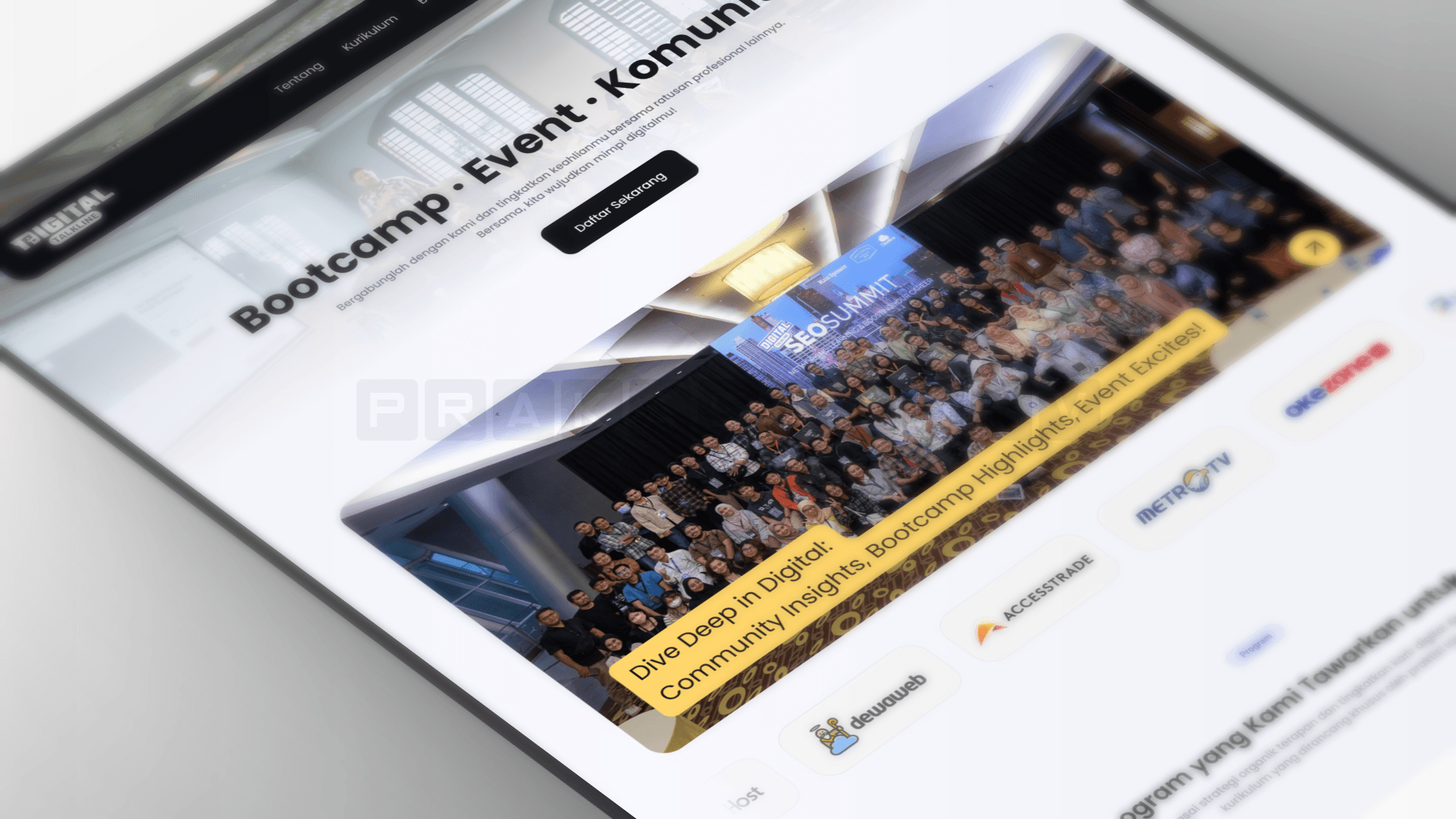
Digital Talkline is a community and education platform focused on digital marketing, offering SEO bootcamps, monthly training programs, and weekly webinars. The existing website suffered from poor visual design, inconsistent color usage, and an unclear information hierarchy that failed to communicate what the platform actually offered.
For a platform selling professional education, the design was actively undermining credibility. Prospective students had no clear path to understand the curriculum, evaluate instructors, or compare pricing. These are the core actions needed to convert a visitor into a sign-up. The stakeholder recognized the problem but had no design direction, no brand guidelines beyond logo colors, and no reference for what "good" looked like.
I analyzed 20+ competitor platforms including Purwadhika and Dibimbing.id. The finding was revealing: most competitors in this space also had mediocre visual design. This confirmed that a clean, professional aesthetic would be a genuine differentiator, not just a cosmetic upgrade. Rather than copying competitor patterns wholesale, I used roughly 20% as structural reference and developed the remaining 80% through my own design approach.
I conducted self-directed UX research using two complementary methods. First, participatory observation: as an actual bootcamp participant at Digital Talkline, I experienced the platform firsthand and understood what prospective students look for before committing to a program. This gave me authentic insight into user needs, questions, and decision-making friction that no survey could replicate.
Second, I performed a heuristic evaluation of the existing site from a prospective student's perspective, walking through the full sign-up consideration flow: discovering the program, evaluating the curriculum, reviewing instructor credentials, and comparing pricing. This revealed critical usability gaps: unclear program structure, buried instructor information, and no visible social proof. These findings directly shaped the layout priorities and information hierarchy of the redesign.
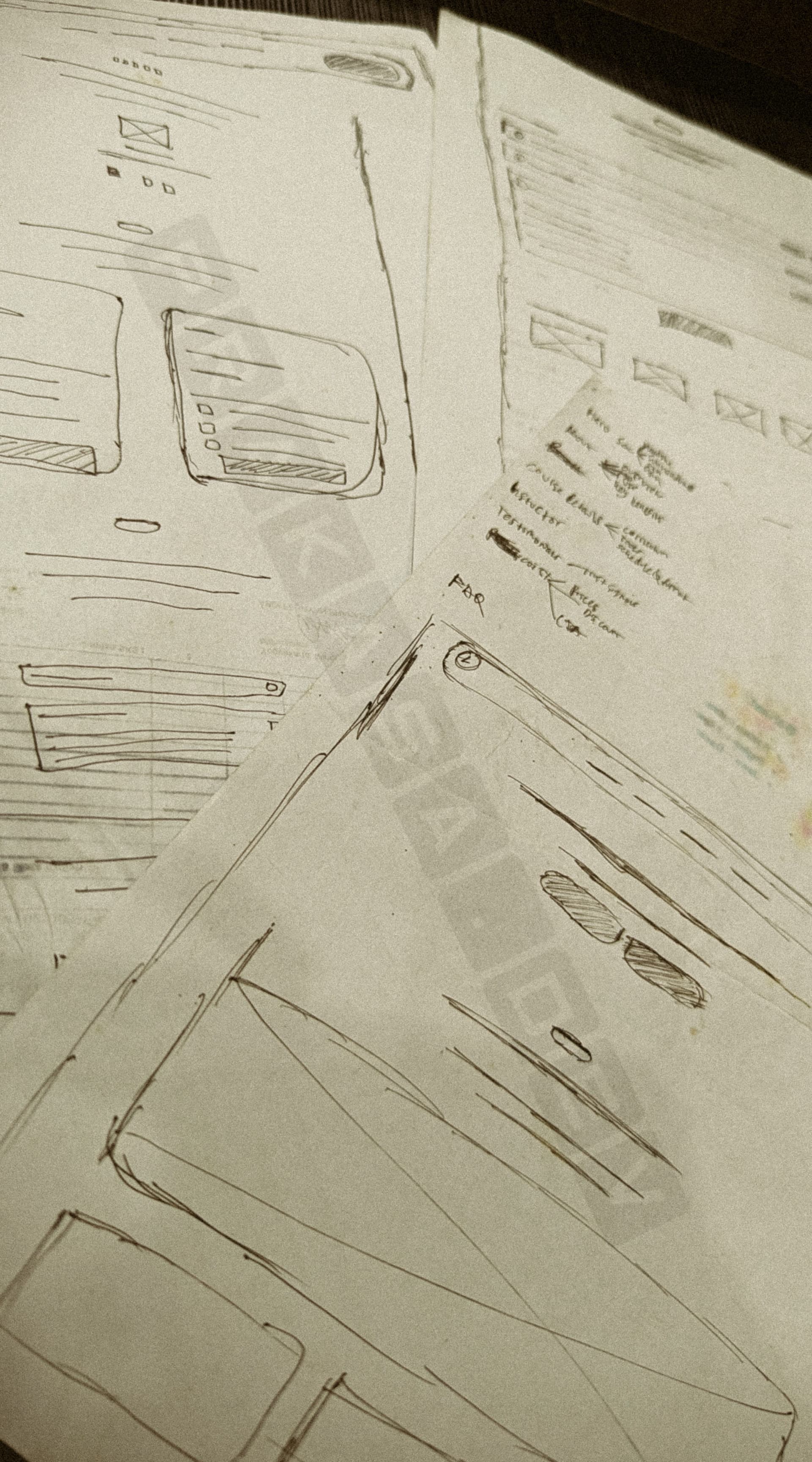
Before opening Figma, I mapped out the page structure and user flow on paper. Sketching wireframes by hand allowed me to quickly explore layout options, testing section ordering, navigation placement, and content grouping without getting attached to visual polish too early.
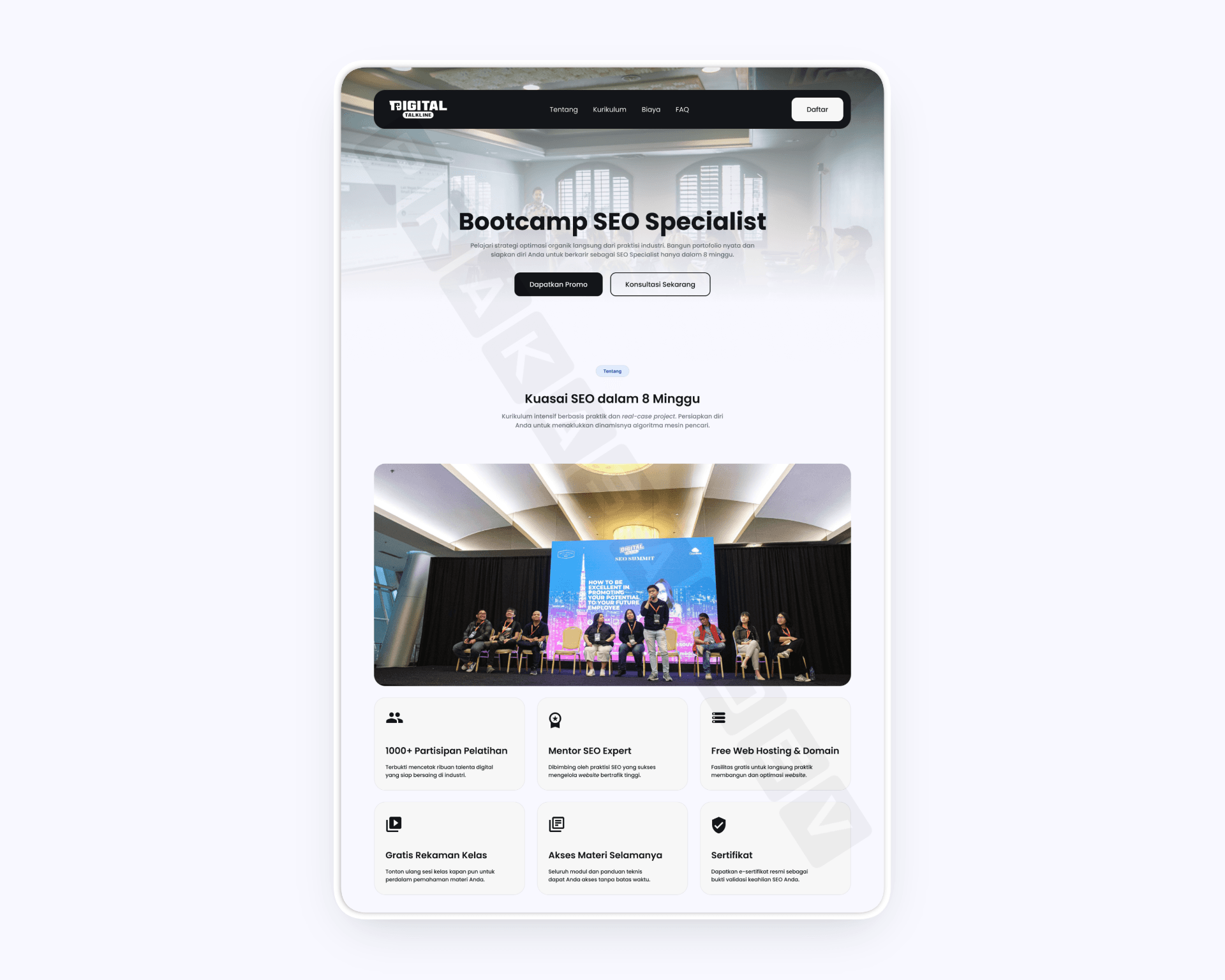
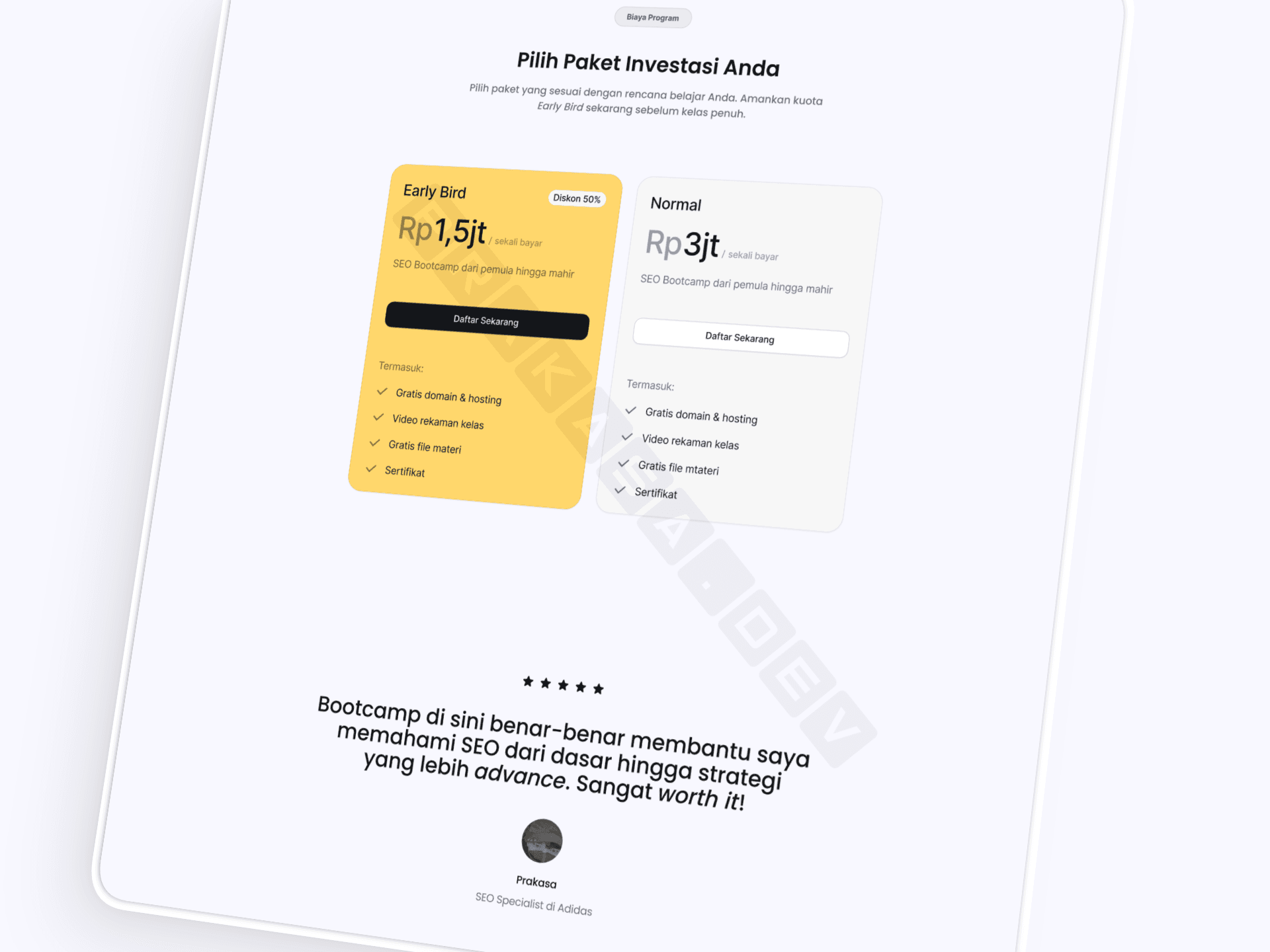
With no existing brand guidelines beyond logo colors and a stakeholder who had no strong design preferences, I chose a deliberately safe but elegant approach. I established Ghost White (#F8F8FF) as the neutral base, a warm off-white that feels premium without competing with content. Brand colors were reserved exclusively for accent elements: CTAs, plan cards, and category labels. This created a clear visual hierarchy where the eye naturally flows to actionable elements.
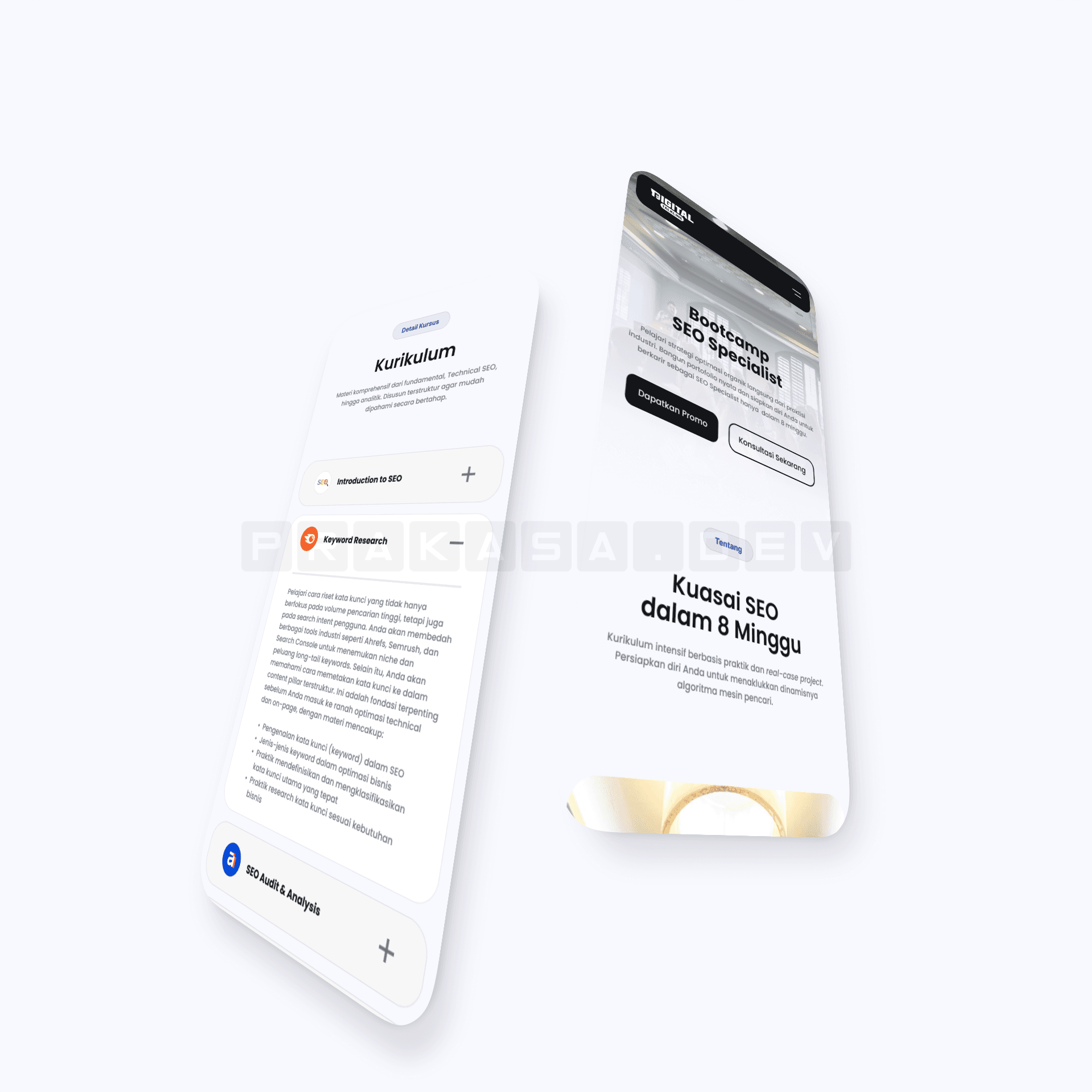
For typography, I selected Poppins, a geometric sans-serif typeface that projects clean professionalism. The curriculum section uses an accordion pattern to progressively disclose detail without overwhelming first-time visitors. Tools and platform logos are displayed in an auto-scrolling marquee, giving users an immediate sense of the ecosystem they would be learning.
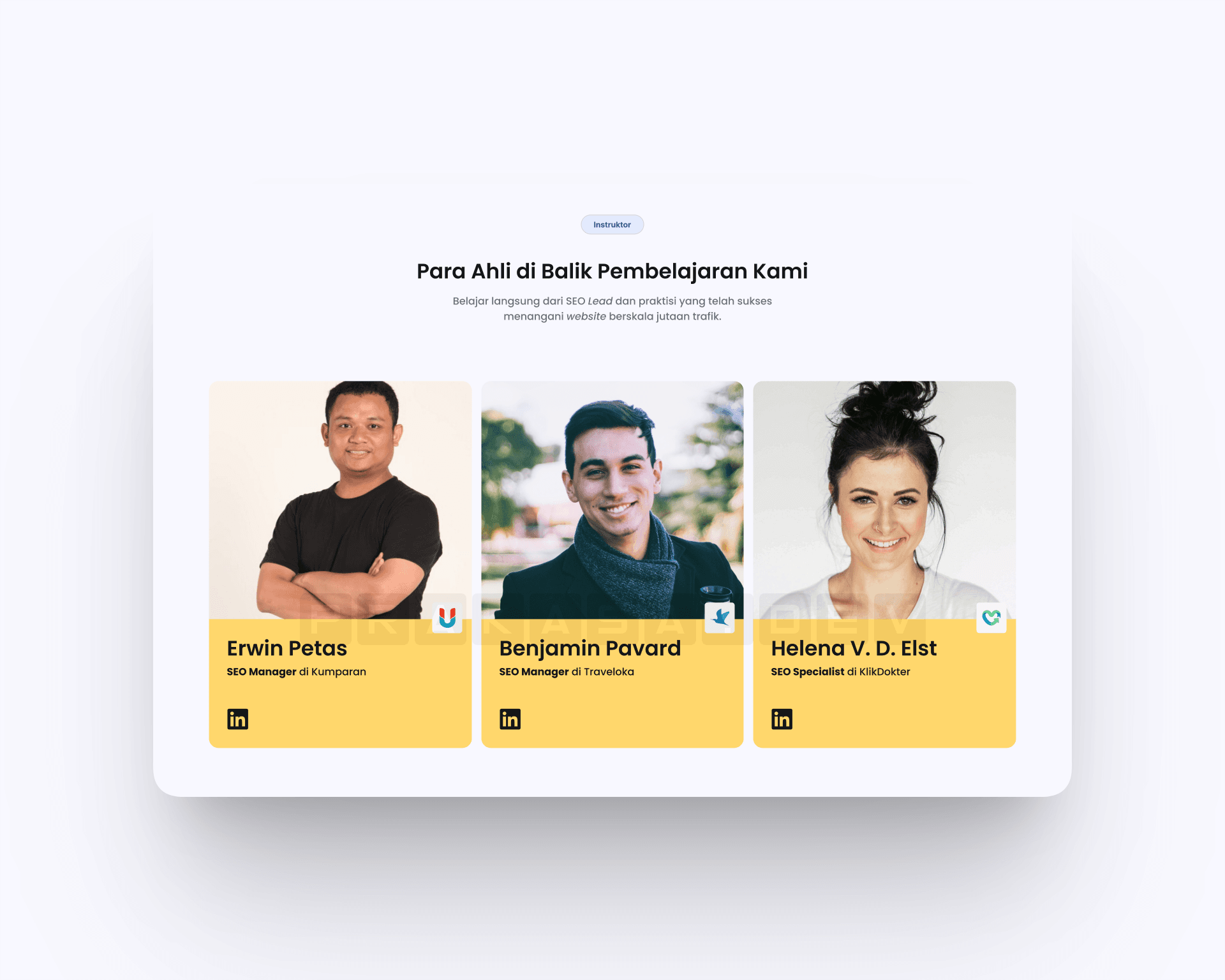
The instructor section was the most challenging part of this project. The initial Version A used a traditional 3-card grid with yellow accent footers and LinkedIn profile links. While functional, it felt generic and lacked the visual elegance I was aiming for. I spent considerable time exploring alternatives before arriving at my "aha" moment for Version B.
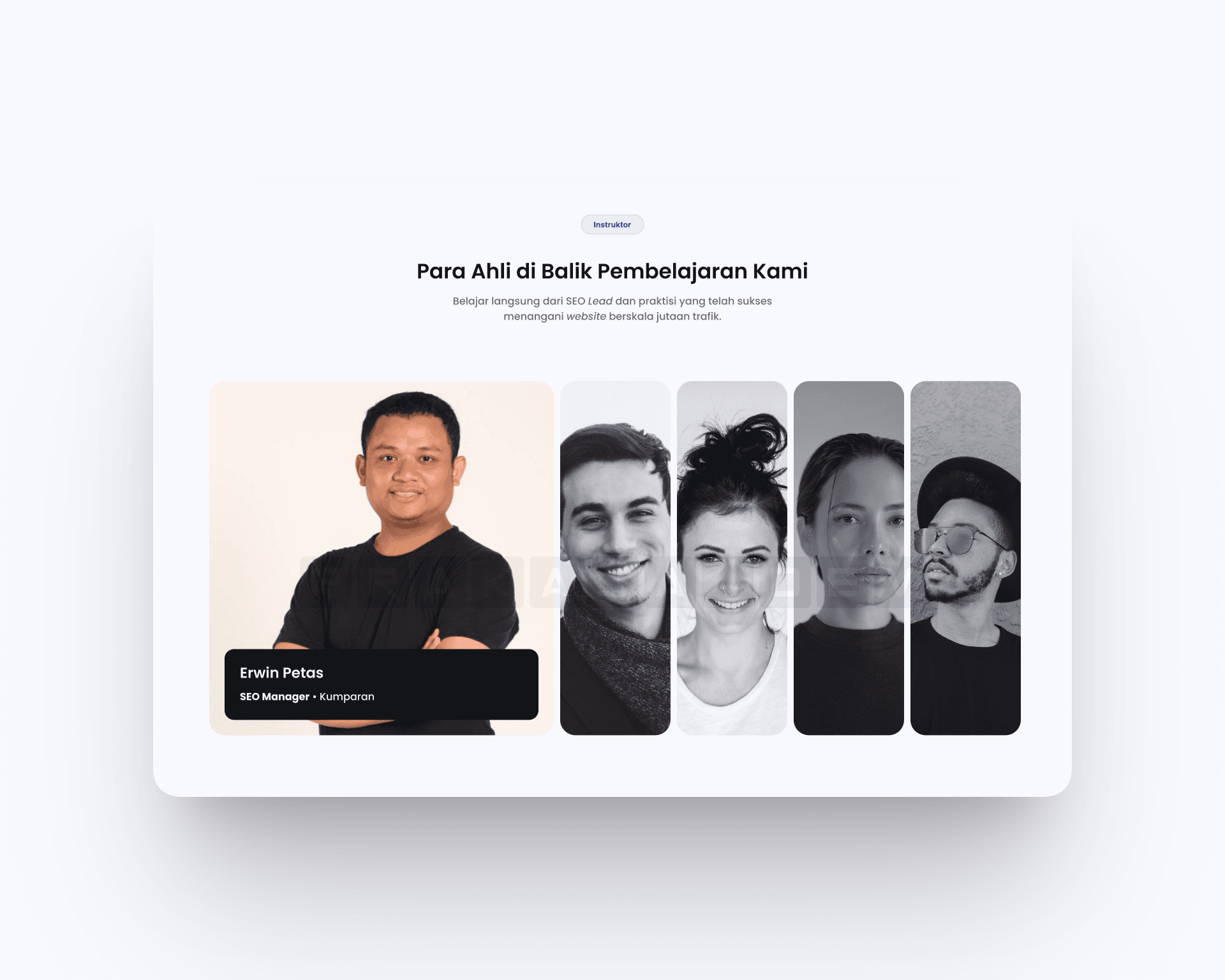
Version B uses an accordion slider (expanding cards) pattern: a row of narrow vertical strips that expand on hover or click to reveal the full instructor profile. The active instructor appears in full color while others compress into greyed-out strips, creating a natural focus hierarchy. This approach is more elegant, space-efficient, and encourages interactive exploration.
I presented both versions to the client and recommended Version B for its modern, minimalist aesthetic that aligned with the overall design direction. The client agreed, and Version B became the final design.
- Platforms Analyzed
- 20+
- Research Methods
- 3
- Draft Approved
- 1st
“The design was a perfect fit. Exactly what I had in mind but couldn't articulate. I'm very satisfied with the result and look forward to collaborating again on future projects.”
- Stakeholder, Digital Talkline
Delivered as a high-fidelity design handoff. Implementation is managed by the client's development team.
This project reinforced a critical lesson: when stakeholders lack design direction, that is the constraint, not a blank check. The absence of preferences forced me to invest more heavily in competitor research and adopt a deliberately safe visual strategy. The result was a cleaner, more defensible design than if I had chased trends.
If I were to revisit this project, I would push to include interactive prototyping in the deliverable scope. The current handoff stopped at static high-fidelity screens, which meant the stakeholder could not experience transitions, hover states, or the accordion behavior firsthand. I would also conduct usability testing with 3-5 actual prospective students to validate the information hierarchy before finalizing the layout.